· Ben · workflow · 6 min
Getting started with Velite
Velite compiles your content folder into a typed module your app can import. Here's the config that works, the Turbopack caveat every tutorial still gets wrong, and how to turn strict mode into a merge gate for content PRs.
Your content folder is a stack of Markdown files. Your app reads it with fs.readdirSync, parses frontmatter with gray-matter, and hands you back any. Nothing tells you a post is missing a date until the sort function throws, and nothing tells you a cover path is broken until someone opens the page in production.
Velite fixes that specific problem. It's a build step that reads content/**, validates every file against a Zod-style schema, and emits typed JSON plus a .d.ts you import like any other module. Content stops being a folder you crawl at runtime and becomes a build artifact with a shape.
Getting started with Velite takes about ten minutes and one config file. Here's the setup that actually works in 2026, including the part most tutorials still get wrong.
Install, and check your Node version first
Velite is ESM-only and needs Node 18.20 or newer. If your project still has "type": "commonjs" and no .mjs escape hatch, sort that out before you start, because the error you get otherwise is unhelpful.
npm install velite -D
Two things worth knowing before you commit to it. Velite is at 0.4.0 on npm, around 3,700 weekly downloads, 782 stars, and one maintainer. The docs say outright that they're incomplete. That's not a reason to avoid it, the core has been stable for a while and the benchmark in the repo does 1,000+ documents and 2,000 assets in under eight seconds cold and under 60ms on a hot rebuild. But you should know you're picking a small tool with a bus factor of one, and that some answers live in the source rather than the docs.
The config is the whole API
Drop a velite.config.js at the project root. Default content root is content, default output is .velite.
import { defineConfig, s } from 'velite'

export default defineConfig({
  collections: {
    posts: {
      name: 'Post',
      pattern: 'posts/**/*.md',
      schema: s
        .object({
          title: s.string().max(99),
          slug: s.slug('posts'),
          date: s.isodate(),
          cover: s.image().optional(),
          metadata: s.metadata(),
          excerpt: s.excerpt(),
          content: s.markdown()
        })
        .transform(data => ({ ...data, permalink: `/blog/${data.slug}` }))
    }
  }
})
Run npx velite. You get a .velite directory containing posts.json, an index.js that re-exports it, and an index.d.ts with a Post type generated from the schema. Import it like a module:
import { posts } from './.velite'
Add .velite to .gitignore. It's generated output, the Markdown in content/ is the source of truth, and checking in a build artifact just gives you merge conflicts on every content change.
The name field is what the generated type is called. Set it deliberately, Post reads better than Posts at the call site.
The extended schemas are the reason to bother
Plain Zod validation is nice. The extended schemas are why Velite is worth the build step at all, because each one does real work beyond checking a type.
s.isodate() takes 2026-08-17 or 2026-08-17 10:00:00 and normalizes it to an ISO string, so your sort function stops caring how the author typed it. s.slug('posts') validates the slug format and enforces uniqueness across the posts namespace, which catches the duplicate-slug bug that otherwise ships silently and gets found by Search Console three weeks later.
s.image() is the good one. It resolves the relative path, copies the file to your static output, and returns an object with src, width, height and a blurDataURL. That means next/image gets its dimensions at build time with no layout shift and no manual bookkeeping. A missing file fails the build instead of rendering a broken img.
s.metadata() gives you reading time and word count. s.excerpt() pulls the first chunk of prose. s.mdx() compiles to an MDX function body you render with useMDXComponent, which is what you want if your posts include components rather than plain Markdown.
The Turbopack caveat every tutorial still gets wrong
Search for a Velite + Next.js setup and you'll find the same snippet copied across a dozen posts: a VeliteWebpackPlugin class in next.config.js that kicks off the build from inside webpack's beforeCompile hook.
That recipe doesn't run when Turbopack is enabled, and the Velite docs say so. Next 15 and later default to Turbopack for next dev, so the plugin quietly does nothing, your .velite folder goes stale, and you spend an afternoon convinced the schema transform is broken.
Run Velite as its own process instead. It's less clever and it works everywhere:
{
  "scripts": {
    "dev": "npm-run-all --parallel velite:dev next:dev",
    "velite:dev": "velite --watch",
    "next:dev": "next dev",
    "build": "velite --strict && next build"
  }
}
--watch rebuilds on file change in tens of milliseconds, fast enough that you never notice it. Use npm-run-all or concurrently rather than a bare &, unless nobody on your team is on Windows.
One ordering detail: the first velite run has to finish before Next tries to resolve ./.velite. If your dev server starts faster than the first content build, you get a module-not-found on a cold clone. Run velite once in postinstall, or make dev depend on a prebuild script. Either is fine, pick one and write it down.
A second collection, and the single option nobody uses
Every tutorial stops at one collection of blog posts. Real sites have two or three, and Velite handles that with the same shape.
collections: {
  posts: { /* ... */ },
  authors: {
    name: 'Author',
    pattern: 'authors/*.yml',
    schema: s.object({
      slug: s.slug('authors'),
      name: s.string(),
      avatar: s.image()
    })
  },
  changelog: {
    name: 'Release',
    pattern: 'changelog/**/*.md',
    schema: s.object({
      version: s.string(),
      date: s.isodate(),
      breaking: s.boolean().default(false),
      content: s.markdown()
    })
  }
}
Note that authors reads YAML, not Markdown. Velite doesn't care about the file type as long as the pattern matches and the parsed object satisfies the schema, so structured data that has no prose belongs in .yml files rather than empty Markdown bodies with fat frontmatter.
single: true on a collection makes it emit an object instead of an array. That's the right modeling for a site config, an about page, or a homepage hero. You import siteConfig and it's an object, not siteConfig[0], which is the kind of small thing that stops a codebase from accumulating index-zero lookups.
The wiring between collections happens in prepare. It runs after all collections parse and before anything is written, so it's where you resolve an author slug on a post into the actual author record, or filter out drafts in production, or throw if a post references an author that doesn't exist. complete runs after the files are on disk, which is where you'd trigger a search index rebuild.
strict: true is a merge gate, not a lint setting
This is the part I'd actually put in your CI config on day one.
By default, a schema failure logs a warning and Velite carries on, dropping the bad document. With strict: true in the config, or --strict on the CLI, the build exits non-zero. Put that in front of next build and a pull request that adds a post with a malformed date, a duplicate slug, or a cover image path that points at nothing cannot merge.
- run: npx velite --strict
That's a content test suite you get for free from a schema you were going to write anyway. No missing-frontmatter bug reaches production, and the failure shows up as a red check on the PR next to the diff that caused it, which is where a writer can actually act on it. Content review works best when it happens in the same place code review does, and this is the cheapest possible version of that, reviewed like any other pull request.
One caution: strict mode fails on the first schema error across all collections, so if you're retrofitting Velite onto an archive of 200 legacy posts, expect to spend a session fixing frontmatter before CI goes green. Do it once. It doesn't come back.
Velite gives you the shape. It doesn't give you the posts.
Here's the thing about a typed content layer. When you finish the setup, run the build, and open the app, content/posts/ has one file in it and it's the hello-world.md you wrote to test the schema.
Velite solves validation and typing. It has nothing to say about who writes the next forty articles, and that's the part that actually stalls. The schema is a contract nobody is filling.
That gap is what I built Contentcron for. It researches topics with live web search, writes a full MDX article, and opens it as a pull request on a contentcron/<slug> branch. It reads your existing posts first, so the frontmatter it emits matches the fields, date format and slug style your schema already expects. If your posts use date: 2026-08-17 unquoted and a tag string rather than a tags array, that's what lands in the PR.
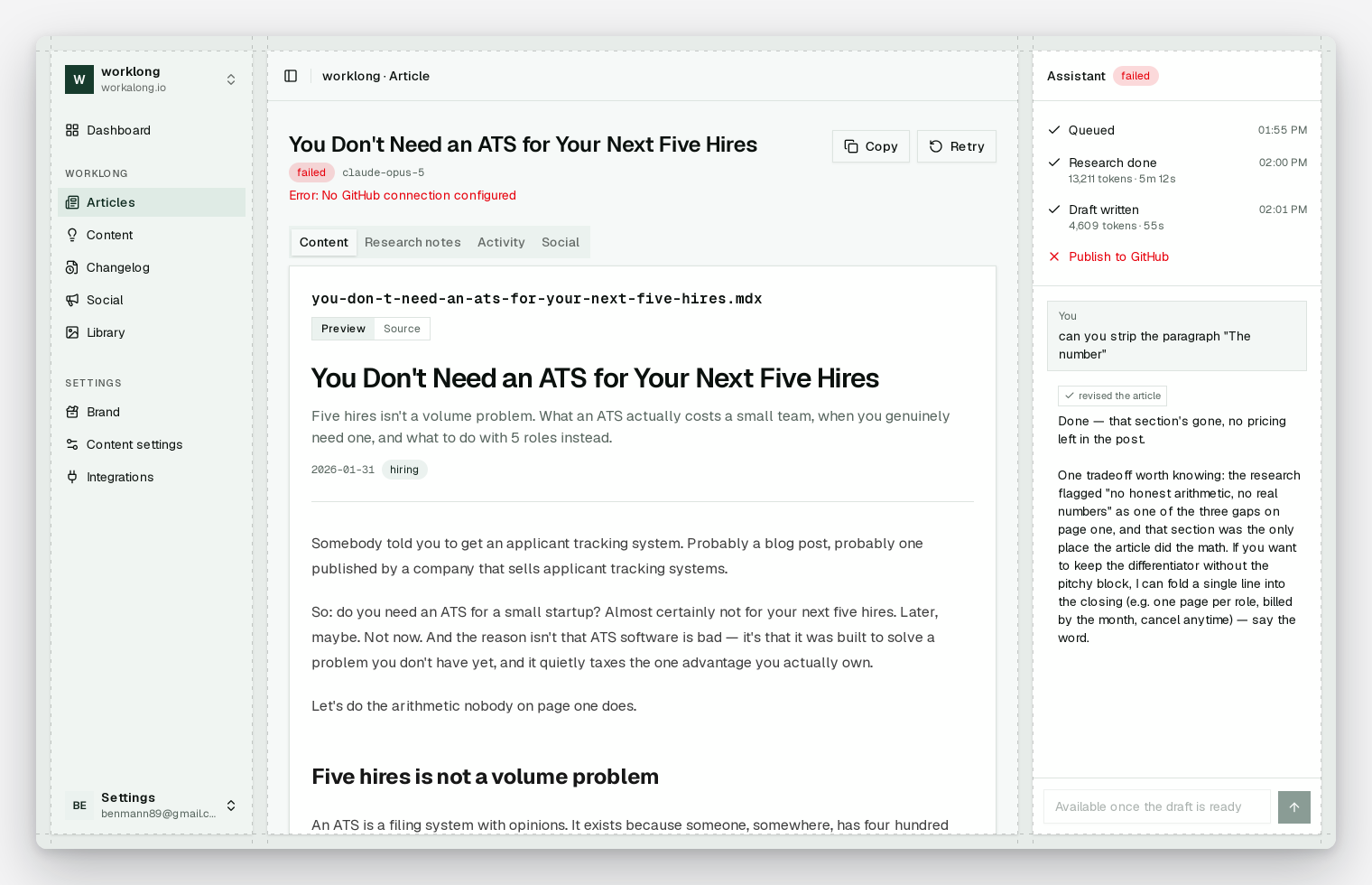
There's no Velite plugin and there never needs to be. Contentcron writes Markdown files into content/, your CI runs velite --strict against the branch, and the check either passes or tells you exactly which field is wrong. The repo is the whole integration, which is the structural advantage a file-based setup has over an API-backed CMS.
To be clear about what it doesn't do: the changelog collection above is a Velite modeling example, not a Contentcron feature. It doesn't generate release notes from your commits or your GitHub releases. It writes articles.
If you want a UI on top of the same files so non-engineers can edit without touching a branch, that's a separate decision, and I compared the git CMS options in a previous post.
If your content folder now has a schema, a type, and a CI check, and the only thing missing is content, the first article is free and there's no card. Start a project and see what the PR looks like against your own frontmatter.